K/01
Your work happens in your own apps
Notes, Mail, Finder, WhatsApp, your browser: Kingmaker opens them and does the steps, and stops on every click that commits something until you say yes.

Kingmaker · Free · Runs on your Mac
Kingmaker is an AI agent that lives on your Mac and does the work, not just the talking. Say what you want and it opens your apps, works in the Chrome you’re already signed into, researches, writes, draws and builds, all on your own machine. Its models run on your chip with the refusals taken out, so it takes the job on instead of lecturing you. It still stops for your yes before anything that sends, spends or installs.
Free for individuals. Companies pay to play. Download it, push it hard, and tell us what breaks.
For Macs with Apple silicon (M1 or newer)
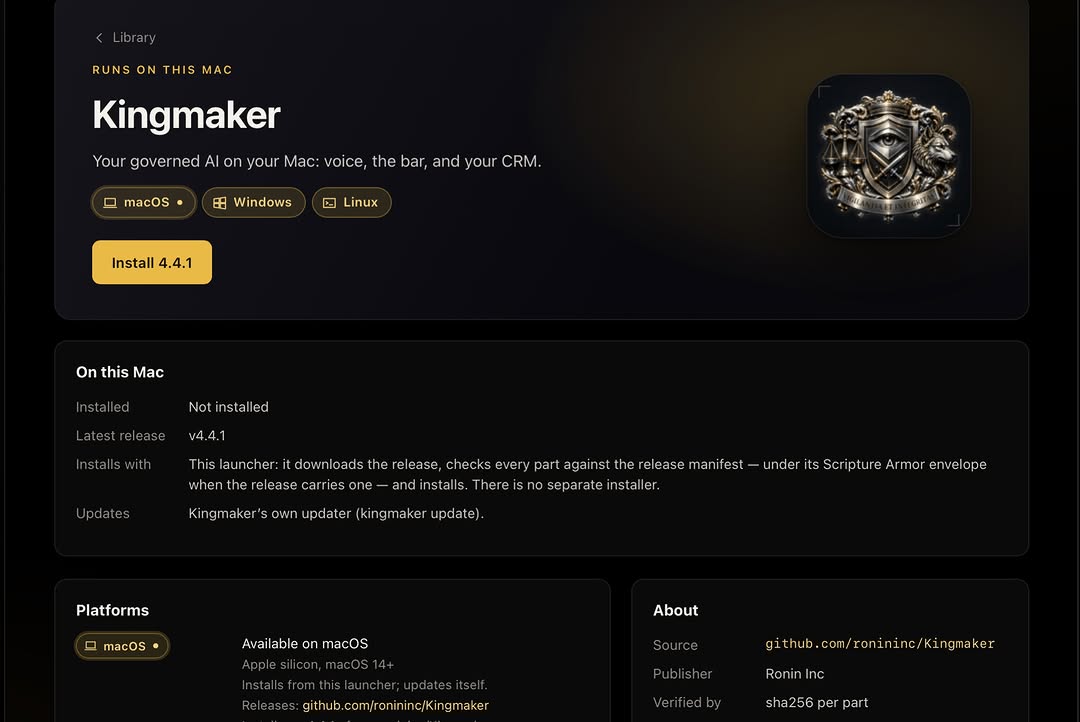
Version 4.4.1 · Apple silicon, macOS 14 or later
01 · What changes
Notes, Mail, Finder, WhatsApp, your browser: Kingmaker opens them and does the steps, and stops on every click that commits something until you say yes.
The models run on your chip. Your files, prompts and voice stay home and never train anyone’s model. No cloud account, no per-token bill.
Pair your iPhone with Kingmaker Phone and talk to your Mac from anywhere: home Wi-Fi, or anywhere at all once you add Tailscale. Send it a photo and it reads it, saves it, or puts it to work.
Hit an app it can’t drive and it goes looking: an open-source tool, read in quarantine, rebuilt as its own, used only after you approve it.
02 · What a cloud chatbot can’t do
03 · Everything inside
04 · The system
The rules live in the runtime, not in the model. Nothing consequential happens without your yes, and every step leaves a record.
Open-weight models run on your Mac’s own chip. No cloud account and no per-token bill. Kingmaker suggests a model that fits your Mac; you make the pick.
Pair your iPhone from the Mac with a QR code and a six-digit code. The Mac does the thinking; the phone carries it with you. Unpair it any time.
One place to install, update and open Kingmaker and Kingmaker Phone.
Requirements
Install
For Macs with Apple silicon (M1 or newer)
Version 4.4.1
Release signing key fingerprint (SHA-256): FE70 3A41 F02C 817E CDA3 67D3 8FD5 0A94 7E85 3F03 FC84 F371 3317 AE5A F3DA 1BB1
Licence
Free for personal, research and hobby use under the PolyForm Noncommercial licence. Using Kingmaker inside a company, or building a product on it, needs a commercial licence: talk to Ronin Inc. Every install can share what it learns, never your data, so Kingmaker gets better for everyone. It’s off until you opt in. One keypress turns it on.
Questions
Yes, for individuals. Kingmaker is free for personal, research and hobby use under the PolyForm Noncommercial licence. Using it inside a company, or building a product on it, needs a commercial licence.
A free, local AI agent for Mac. It runs uncensored open-weight models on your own Apple-silicon Mac, takes orders by voice, and drives your real apps and signed-in Chrome, asking before anything that sends, spends or installs. It is free for individuals.
Yes. Open-weight models run on your Mac’s own chip, so the core reasoning works with no network, no cloud account and no per-token bill. Your files and prompts stay on your Mac and are never turned into training data.
Yes. After you grant macOS Microphone, Accessibility and Screen Recording, it opens and drives your real apps and your signed-in Chrome by voice, and runs from your menu bar. A human yes is still required before anything consequential.
The model’s built-in refusals are removed while the rules that matter are kept and enforced by Kingmaker’s governed runtime. Kingmaker will attempt the work you ask for, but still gates any action with real-world consequences behind your approval.
Minimum: an Apple-silicon Mac (M1 or newer) with 8 GB of memory, macOS 14 or later and about 25 GB free. That is the floor, not the experience, and Kingmaker will not do what you want on it. Recommended: M3 or newer, 16 GB of memory or more, and macOS 15; 24 GB unlocks 35B-class models.
Solomon · Field Notebook · Engine by engine
The governed engine, taken apart on the page — how it researches, what it will and won’t claim, how it scores its own confidence, and every engine it drives. Unfold any plate for the rollout notes.
Read this first · how the engines connect
Solomon is not one model — it is a chain of governed engines, each handing the next a checked result. Follow the wire: every box is a real engine, and the arrows are the order they fire.
Every request runs one chain — intent, evidence, governance, decision, authorization, execution, audit — before intelligence is ever allowed to act.
Intent is resolved, evidence gathered, governance gates applied, a verdict formed — then you authorize, it executes through connectors, and every step writes to the audit trail.
Authorization before action; audit by default. Intelligence contributes only after the governed steps clear.
INTENT ▸ … ▸ VERDICT ▸ ADVISORY
The chain is the same for a one-line answer and a full build — nothing skips it.
Every question reaches the live internet — research is inbound-only, through verified fetch. Facts are gathered, separated from assumptions, and the unknowns are flagged, not glossed.
Deterministic reach-out: every question is sent to the open internet and answered from what comes back, assembled into a grounded evidence packet.
Inbound-only — research reads the world; it never exfiltrates your data. Sources are kept; assumptions are labelled; unknowns are surfaced.
GATHER ▸ SOURCED · 0 FABRICATED
If the evidence is thin, it says so rather than filling the gap with a guess.
No hidden assumptions. No uncontrolled execution. No unsupported certainty. No claim without proof.
Evidence before advice, authorization before action, proof before every claim. Each standard is enforced in the runtime, not left to good intentions.
Authentication is not authorization. Private data fails closed. A claim ships proof-backed or is marked pending — never asserted.
PROVE ▸ OR MARK PENDING
The restraint is the product: what it refuses to do is as designed as what it does.
Every verdict carries a confidence and a risk level. The reasoning is advisory — shown to you, never certified as fact.
A numeric confidence (e.g. 0.62) and a risk band ride with each decision. Low confidence routes to a question or a hold instead of an action.
Prose reasoning is advisory only — never a forced act, never presented as proof. The score is visible, not buried.
CONF 0.62 · RISK MED · ADVISORY
You see the number the machine used — and you keep the final call.
Constraint discovery → a proof-backed build tree → a local, inspectable scaffold. It never calls something “deployed” until it truly is.
It surfaces missing constraints first, structures the work as a governed build tree, and emits a local scaffold with a proof manifest you can inspect.
Local coding sovereignty — an offline coding model plus real compiler and git checks. Nothing is claimed shipped until it runs.
PLAN ▸ SCAFFOLD ▸ LOCAL (NOT DEPLOYED)
The plan is honest about what still needs a human, a key, or a deploy.
Concept → material stack → tolerances, bill of materials, assembly risks → a planning-only manufacturing workflow.
A concept enters as an operational object with purpose and constraints; candidate materials are proposed; tolerances, BOM, and assembly risks are drafted and governed.
Planning-only. Nothing is called manufacturing-ready without real dimensions, an electronics package, thermal limits, and safety validation.
ESTIMATED_PREVIEW · NOT_CAD
It draws the plan to build — it does not pretend the part exists.
A creative project twin — world, characters, continuity — with a scene graph. Rendering is delegated to adapters, never claimed without evidence.
Every production begins as a Creative Twin holding the whole work; world, characters, and lore are organized so continuity is enforced; scenes are structured before a single asset is generated.
Rendering is handed to external adapters; Titan never reports a finished result without render evidence to back it.
RENDER ▸ QUEUED · EVIDENCE-GATED
Continuity is designed in, not improvised shot to shot.
A persistent project twin every engine reads and writes — one governed, versioned record instead of scattered files and lost context.
Every build or production is anchored to a Twin; each engine reads from and writes to it, so state is shared, inspectable, and versioned.
One record, auditable end to end. No hidden state, no engine working from a private copy.
TWIN ▸ PERSISTENT · VERSIONED
It’s the memory the whole system agrees on.
A place request becomes a governed intelligence workflow: geocoding, maps, cameras, flights and current reporting are routed into one evidence surface, with missing feeds exposed rather than invented.
The request is geocoded, mapped and fanned out to authorized public-data adapters. Research, routing, CodeGen, Titan and memory remain visible as live nodes while God’s Eye assembles the operational picture.
Every target and feed must retain provenance. If a location or source cannot be verified, the evidence board shows the missing state instead of drawing a false target.
GEOCODE ▸ MAP ▸ FEEDS ▸ EVIDENCE
This is a direct capture of a real downtown Phoenix command populating the Machine workflow map.